
Week 06 - Demo Day Preparation
Limitations to Consider
Demo day is around the corner! To prepare for that, there are two key factors that I need to keep in mind.
Duration of the event
The duration of the event is expected to last only a few hours, with a limited allocated to each presenting individual. I aim to explain MiniKin’s concept, how it ties in with my thesis, and perform a demo within a span of 15 minutes.
Presentation Format
Presentation of works are expected to be done in Science Fair fashion. This involves a table set up containing the project with the provision of contextual materials that gives insight into it.
Workarounds for Time-based and Weather Features
MiniKin has the following features that are time based.
Hydrate every 15 minutes
Stretch every 30 minutes
Falls asleep at 11.30pm
Due to the limited duration of demo day, I want the visiting faculty to experience all of these features within that time frame. To do that, I have included additional lines of code that:
Would be solely used for demo purposes
Can be easily commented out when reverting to original setup
To ensure quick and easy locating and changing of the code, I added attention-grabbing comments at segments I needed to edit. I also added numbered parts to these comments to make sure I covered all ground in performing these edits, reducing chances of error.
Hydrate and Stretch Reminders
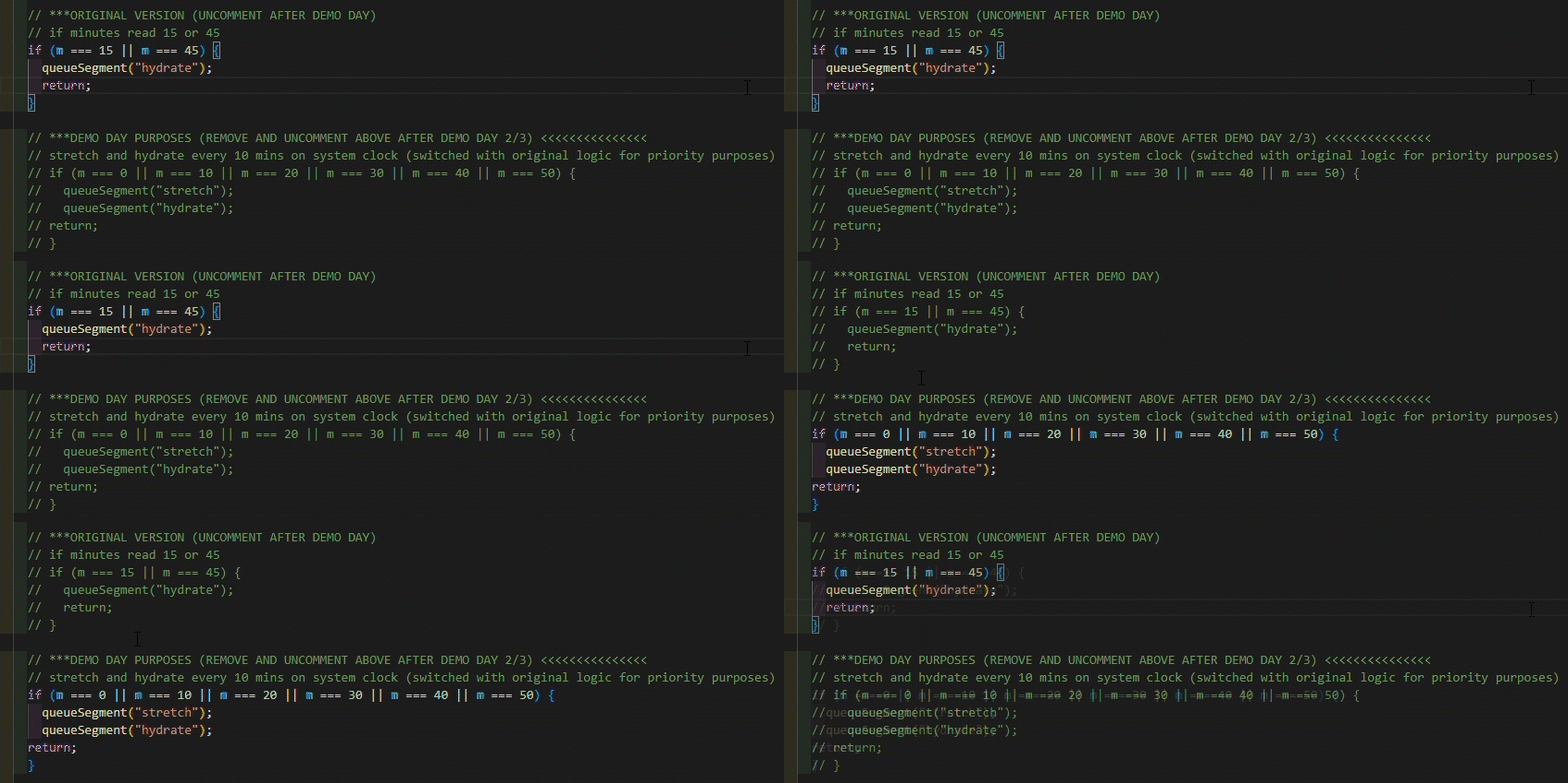
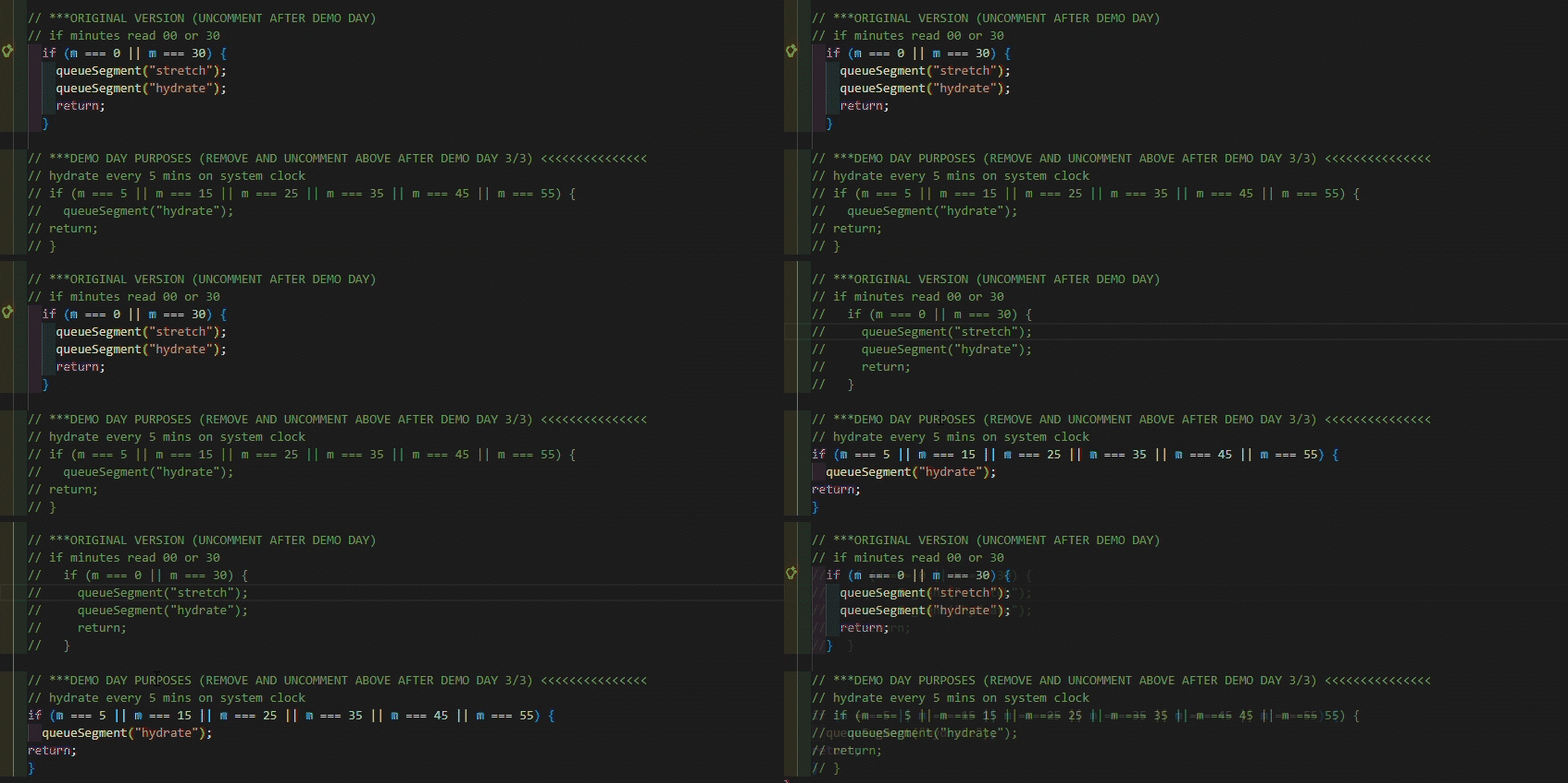
There are 3 segments of the code I need to change the countdown to the next 15-minute mark on the system clock to the next 5-minute mark instead.
First, I need to change the set up for MiniKin to perform the hydrate and stretch reminders every 5-minute mark instead.

Next, I need to reallocate the time stamps on the system clock where MiniKin would perform its hydration and stretch reminders, shown in the following second and third parts.
Sleep Reminder
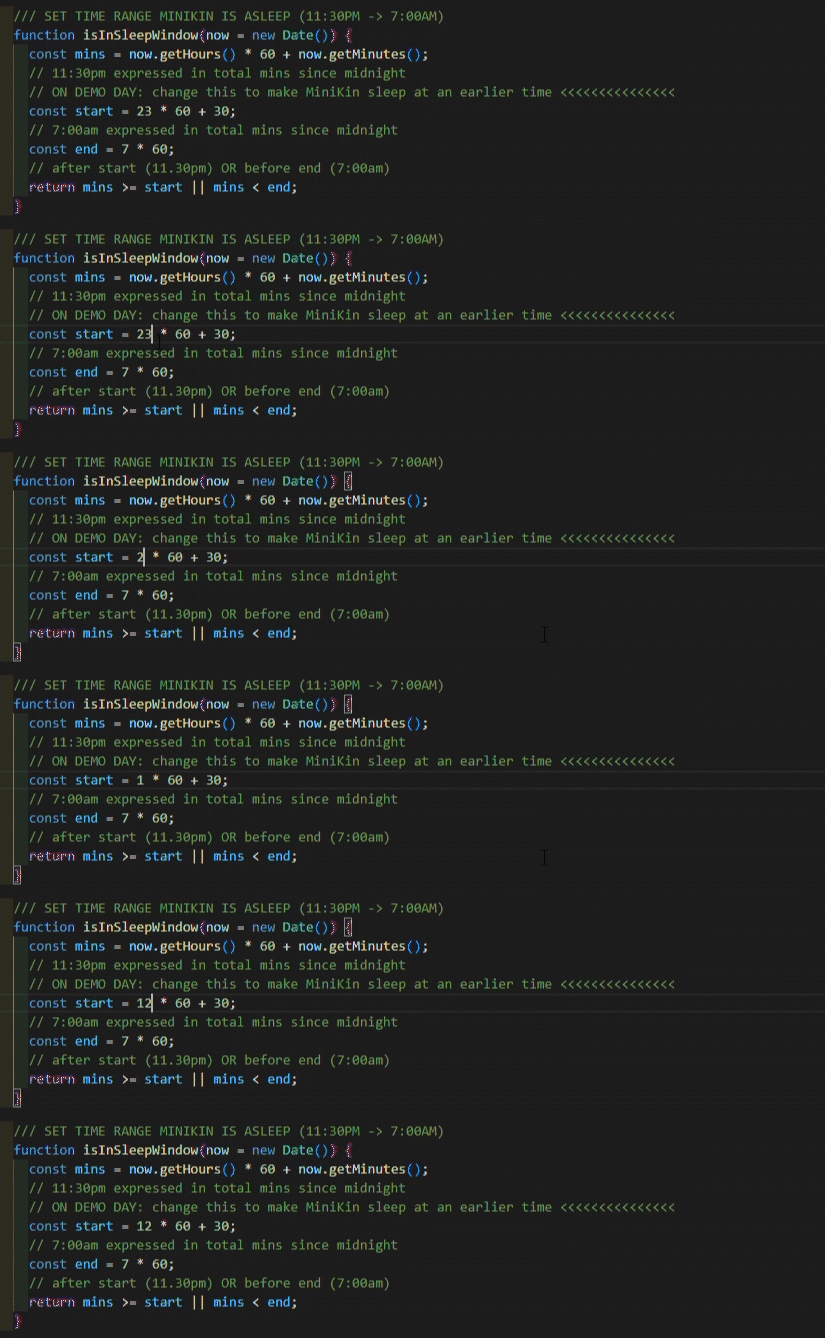
To make MiniKin sleep at an earlier time (i.e during the demo day time), I just need to change one line of code, which is setting the time that MiniKin sleeps. In the example below, I changed it from the original 11.30pm (23:30) mark to 12.30pm (12:30).
Weather Mode Changing
MiniKin is programmed to change into its raincoat only when it is raining. So I set up a dev override code to ‘force’ rainy weather on that day to showcase this feature, and to toggle between it and MiniKin’s default mode.

Table Setup
Materials
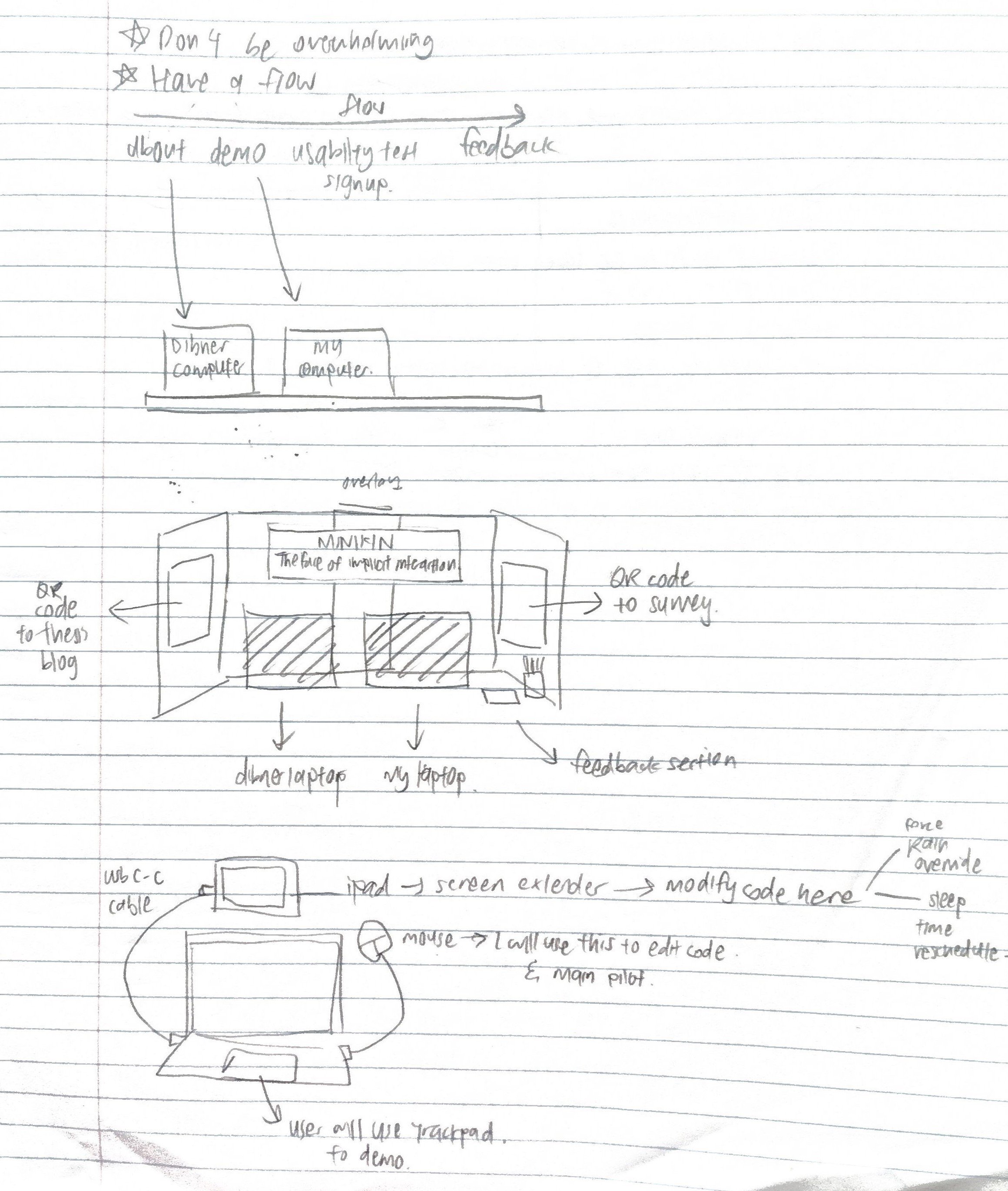
When thinking of the table setup. I thought about what I want to showcase, and how I can weave the reveal of MiniKin into a narrative.
There needs to be flow in storytelling, and it would be presented physically in the following sequence:
1. Laptop 01 containing contextual slides
2. Laptop 02 containing the interactive demo
3. Usability sign up sheet
4. Writing materials for attendees to leave feedback
With this in mind, I proceed to sketch out how these materials will be laid out. Ultimately, I decided to position these materials from the attendees left to right.
I am also planning to bring my iPad to extend the screen of my laptop. On its screen, I am able to make changes to the aforementioned code when needed.
Presentation Deck
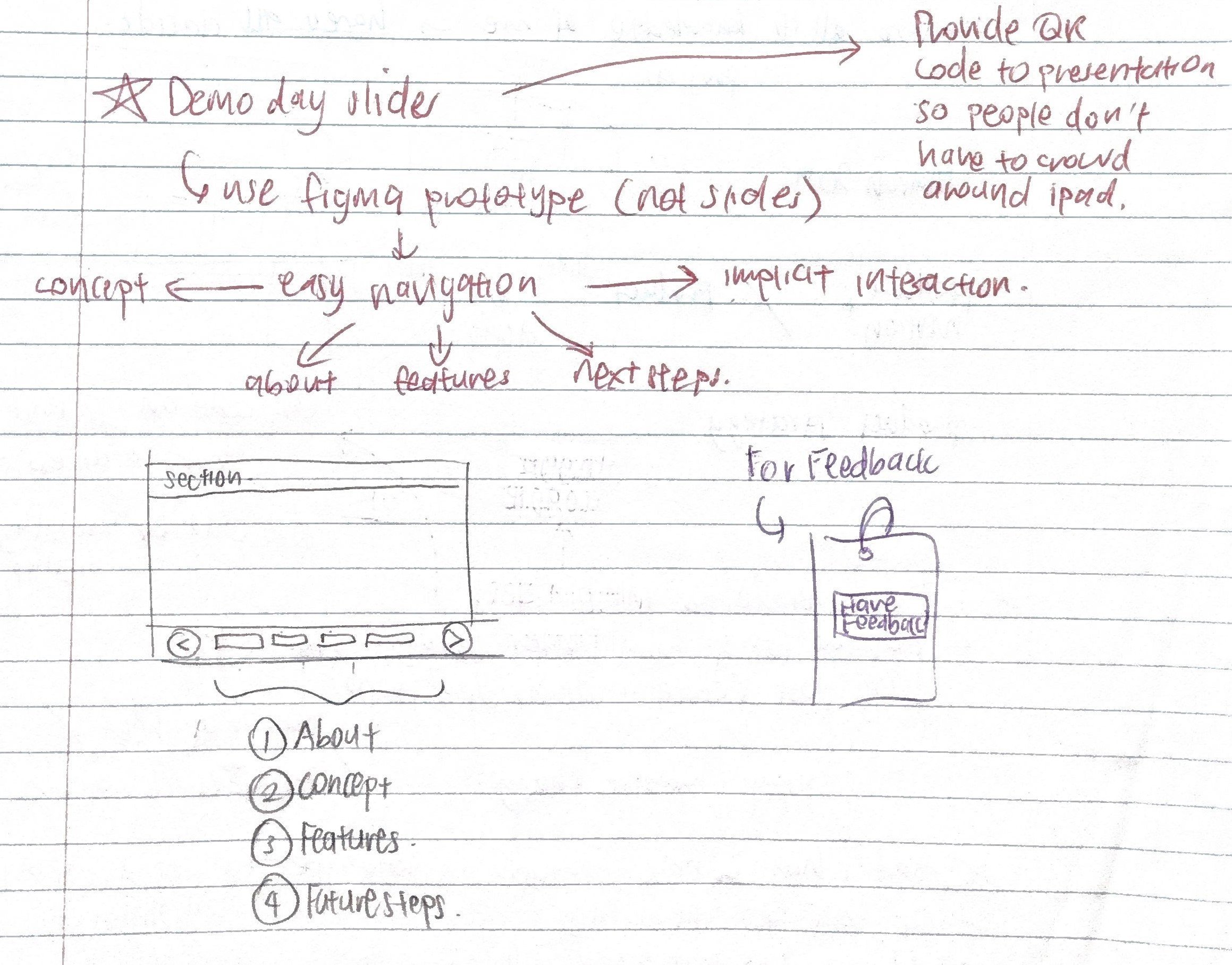
For the presentation slides, I want other attendees to easily navigate between content in the case that I am preoccupied with another attendee.
Therefore, an ordinary slide deck would not suffice, as it would be frustrating for the attendee to constantly press the back/forward buttons to navigate to the pages they want to see.
To address this issue, I decided to create the deck in Figma Design to allow users to interact with it, much like how they would with a website. This would allow them to easily navigate between sections at their own pace.
Show below is the finalized presentation deck.
Questions to ask
For attendees who visit my booth, I have the prepared the following list of questions:
Assessing understanding of Implicit Interaction
Based on your understanding of my explanation of implicit interaction, do you think MiniKin’s current features are effective in representing virtual pets as purveyors of implicit interaction?
Opinion on Current Features
Based on your demo experience, what are some features that you see yourself utilizing MiniKin for, and which ones do you feel are redundant or can be improved on?
New Feature Ideas
Are there any other features MiniKin should have that would help in your everyday life on your desktop?
